
Introduction
Working with artificial intelligence tools has quickly become a standard part of daily routines for millions of people. Whether you are drafting an email, writing computer code, outlining a blog post, or summarizing complex research, AI assistants can handle massive tasks in a matter of seconds. However, the quality of the answer you receive from an AI model depends almost entirely on the quality of the instructions you feed into it. These instructions are known as prompts, and crafting good ones takes real effort.
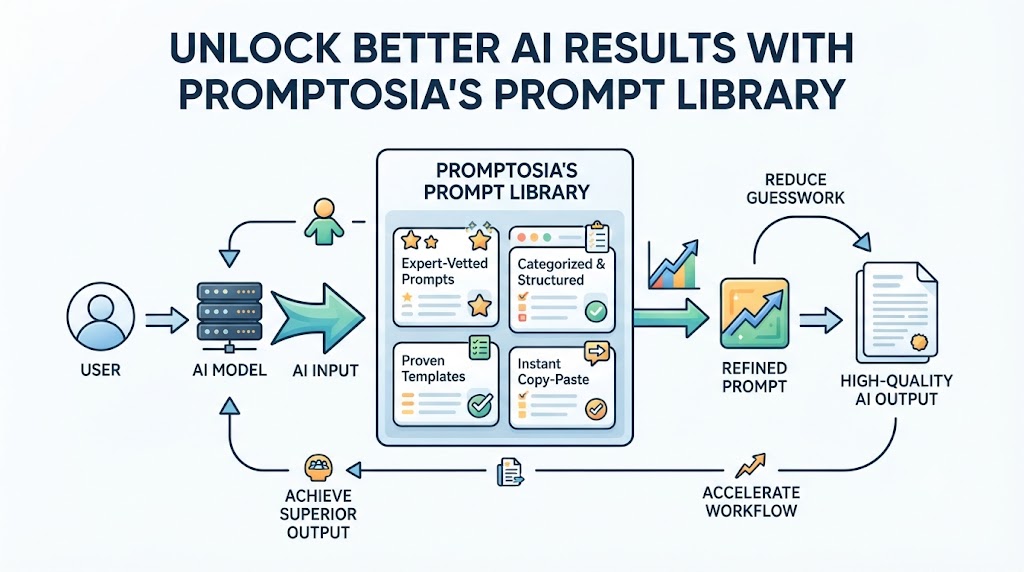
Many people spend hours tweaking words, setting specific roles, and defining formats until they finally land on a prompt that delivers perfect results. But what happens to that prompt once the chat window closes? Too often, it gets buried in past chat logs, buried deep inside a chaotic document, or lost entirely. This frustrating cycle led to the creation of modern prompt management solutions designed to capture and organize these valuable digital assets. Promptosia was created to solve this exact challenge. As a dedicated platform built for individuals, creators, professionals, and collaborative teams, it turns scattered ideas into structured, reusable resources. Instead of starting from scratch every time you open an AI tool, you can store, refine, test, and share your absolute best instructions in one centralized location.
What Is an AI Prompt Management Tool?
An AI prompt is simply the set of text instructions, questions, or guidelines you give to an artificial intelligence program to tell it what to do. It can be a simple sentence like “Summarize this article” or a complex set of rules detailing tone, audience, structural layout, constraints, and explicit examples.
As people rely more on AI to support their daily tasks, they naturally end up creating dozens—or even hundreds—of distinct instructions. Without a system to keep track of them, finding that one specific instruction that produced a great outcome last week becomes almost impossible.
This is where an AI prompt management tool comes in. Think of it as a specialized workspace designed to hold, clean up, and catalog all your instructions. Rather than pasting text into temporary chat windows or random note apps, a management platform gives you a permanent space to save your prompts, label them logically, and pull them up whenever duty calls.
By using a dedicated management system, you ensure that every successful experiment is captured. It takes the guesswork out of working with AI by helping you turn one-off questions into dependable, repeatable instructions.
Why Building an AI Prompt Library Is Important
Have you ever spent twenty minutes fine-tuning a prompt until the AI generated exactly what you needed, only to realize days later that you forgot to copy down the exact wording? Losing useful prompts is a common frustration for regular AI users. Scattered notes, endless browser tabs, and lost chat histories lead to wasted time and repetitive effort.
Building an AI prompt library solves this issue by creating a single source of truth for all your effective instructions. When you store successful prompts in a organized digital repository, you gain immediate access to past solutions.
Here are a few key benefits of maintaining a structured library:
- Instant Access: You no longer need to scroll through endless history logs to find a prompt that worked well last month.
- Consistent Quality: Reusing proven instructions ensures that your AI-generated reports, code, or marketing copy maintain a consistent style and quality every single time.
- Higher Productivity: Skipping the trial-and-error phase saves hours of manual work each week, allowing you to move through projects faster.
- Organized Knowledge: Your expertise in crafting great instructions becomes a neat, structured library of digital tools that grow more valuable over time.
Having a central library transforms your working relationship with AI. Instead of guessing what might work, you rely on a curated collection of instructions proven to deliver top-flight results.
How Promptosia Works as a Prompt Engineering Platform
Prompt engineering is simply the practice of designing, refining, and structuring text inputs so that AI models deliver the best possible responses. While it sounds technical, it is really just about communication—learning how to speak to AI in a clear, precise manner.
Promptosia operates as a comprehensive prompt engineering platform, supporting you through every step of crafting high-impact prompts. The process involves far more than simply storing text; it covers the full life cycle of an instruction, from the initial draft to final deployment.
- Creation: You draft your initial instructions using flexible fields, adding variables like custom roles, tone preferences, or context tags.
- Optimization: The system helps you spot missing information, vagueness, or formatting gaps, giving you practical recommendations to make the prompt stronger.
- Testing: You can run your instruction through tests to see how different AI models interpret it, allowing you to make fine adjustments before going live.
- Versioning & Management: As you refine your wording, every revision is saved so you can track how your prompt improves over time.
- Distribution: Once a prompt is perfected, you can convert it into a standard operational template or share it directly with colleagues.
By acting as an all-in-one platform, it helps users evolve from basic prompting to structured, professional-grade workflows.
Organizing Prompts With AI Prompt Organizer
When your collection of prompts grows from five to fifty, finding the right input can quickly become messy. Without proper categorization, a system designed to save time can end up causing delays.
Using a dedicated AI prompt organizer allows you to keep every instruction neat and easily accessible. You can group your prompts into clear folders based on projects, departments, or overall goals. For instance, you might have separate spaces for client email outreach, blog drafting, software debugging, or academic research.
Beyond folder structures, tagging features let you label prompts by domain, tone, or target output format. Modern organizers also support dynamic variables—placeholders like [Insert Target Audience] or [Paste Code Here]—which make stored prompts flexible for various contexts. Search capabilities mean that finding a prompt for a specific task takes just a few seconds, keeping your creative momentum going.
Improving Instructions With AI Prompt Optimizer
A common issue with AI responses is that vague instructions lead to vague answers. Asking an AI to “write a good article about marketing” will give you a generic, uninspiring result. To get a detailed, engaging response, your prompt needs structure, clear context, direct goals, and constraints.
An AI prompt optimizer helps bridge the gap between a basic idea and an effective prompt. It reviews your draft and offers clear suggestions on how to make your instructions precise.
For example, if your prompt lacks a target audience, tone, or structure format, the optimizer highlights these missing pieces. It might suggest transforming “Write an email about our new feature” into a detailed instruction specifying the recipient persona, desired call to action, brand tone, and length limits. As a result, you get far more reliable and consistent AI responses without endless trial and error.
Understanding Prompts With AI Prompt Analyzer
Before you run a prompt on a critical project, it pays to understand how well that prompt is constructed. An AI prompt analyzer breaks down your input text to examine its underlying components.
The analysis process evaluates several key elements:
- Goal Definition: Does the prompt clearly state what the final deliverable should be?
- Context Provision: Is there enough background information for the AI to understand the task properly?
- Variable Setup: Are dynamic variables formatted correctly so that information can be swapped in seamlessly?
- Tone and Formatting Rules: Does the instruction clearly specify the voice, style, and structure of the output?
By inspecting these components, the analyzer highlights blind spots, vague phrasing, or conflicting rules. This structural breakdown helps you identify exact areas for improvement, turning average prompts into crystal-clear instructions.
Checking Prompt Quality Before Use
Launching an unverified prompt in an important work scenario can lead to poor outputs, policy violations, or wasted tokens. Running your input through a prompt quality checker ensures that your instructions meet high standards before you hit submit.
Quality checking evaluates your prompt across several crucial parameters:
- Clarity: Is the language direct, logical, and easy for the AI model to parse?
- Completeness: Does it include all necessary background context and structural guidelines?
- Safety & Alignment: Does the instruction adhere to safe language standards and avoid misleading formatting?
- Usability: Can another person on your team take this prompt and use it successfully without needing extra explanation?
Checking these factors ahead of time reduces the risk of unexpected AI behavior, helping you generate polished, usable responses on your very first try.
Managing Prompt Improvements With Version Control
As your projects change and AI models evolve, your prompts will naturally undergo revisions. You might tweak a phrase to improve tone, add a new constraint, or adjust variables for a different target market. However, changing a prompt without keeping a record of past drafts can lead to lost work if a new version does not perform as expected.
Using a dedicated prompt version control tool keeps a full record of every edit you make. Just like software developers track updates to source code, you can track changes to your instructions over time.
If a new version yields unexpected results, you can easily compare it side-by-side with previous drafts to see what changed—or roll back to a former version with a single click. Maintaining a complete revision history protects your work, encourages safe experimentation, and records how your prompt strategies evolve.
Testing Different Prompt Results
Even small changes in phrasing can dramatically alter how an AI responds. Changing a phrase like “Explain this simply” to “Explain this using a step-by-step analogy” can produce entirely different outcomes.
An AI prompt testing tool allows you to test variations of an instruction under controlled conditions. Instead of manually copying and pasting text across multiple chats, you can run different versions side-by-side to review their outputs.
This comparative approach helps you:
- Spot subtle differences in tone, depth, and layout.
- Identify which prompt structure consistently delivers the best answers.
- Fine-tune complex instructions for specialized workflows.
Testing takes the guesswork out of writing prompts. By comparing actual results side-by-side, you can confidently select the version that yields the highest quality response.
Reusing Successful Prompts With Templates
Once you have crafted, optimized, and tested an instruction, you shouldn’t have to rebuild it for future tasks. Turning your top-performing instructions into reusable AI prompt templates allows you to standardise recurring tasks.
A template acts as a flexible framework. It contains the core instructions, constraints, and formatting rules, while leaving open slots for dynamic details like specific product names, target dates, or raw text blocks.
For instance, a content team might design a reusable template for writing product updates. The core instructions—defining style, layout, and brand tone—remain identical every time, while the team simply fills in the specific details for each new release. This cuts out repetitive setup work, speeds up daily tasks, and keeps project quality consistent across the board.
Promptosia Features Comparison Table
| Feature | What It Does | Benefit |
| AI Prompt Library | Stores useful prompts in one central place | Easy access, reuse, and complete asset protection |
| Prompt Organizer | Categorizes prompts using tags, folders, and variables | Eliminates search clutter and keeps collections structured |
| Prompt Optimizer | Enhances clarity, tone, and structural rules | Produces higher quality and more accurate AI responses |
| Prompt Analyzer | Reviews structural elements and identifies missing details | Spots missing context before you run the prompt |
| Quality Checker | Evaluates clarity, safety, and operational efficiency | Prevents wasted time and unexpected output errors |
| Version Control | Records complete edit histories with restore options | Encourages safe experimentation without losing past work |
| Prompt Testing | Compares outputs from different prompt variations | Helps you pick the most effective version based on real results |
| Reusable Templates | Saves standard instructions with dynamic placeholder fields | Accelerates daily tasks and ensures consistent team standards |
Who Can Use Promptosia?
Content Creators
Writers, bloggers, video producers, and social media specialists can build personal libraries of creative prompts. Storing customized instructions for article outlines, video scripts, post ideas, and newsletter drafts helps creators produce content faster while maintaining a consistent brand voice.
Developers
Software engineers and technical writers can manage instructions for generating code, writing documentation, finding bugs, and building test cases. Storing technical prompts ensures code samples follow team standards, language constraints, and project rules.
Marketers
Marketing professionals can organize prompts for email newsletters, ad copy, customer segment research, and campaign strategies. Standardized templates ensure all team members stay on-brand across every campaign.
Businesses and Teams
Companies can transform isolated AI tricks into shared operational processes. By building a shared prompt library, teams ensure everyone uses tested, approved instructions, reducing onboard times and improving work quality across departments.
Students and Researchers
Students and academics can keep research prompts organized for summarizing complex studies, outlining literature reviews, organizing data sets, and generating practice questions, making study sessions far more effective.
Benefits of Using Promptosia
- Saves Hours Every Week: Eliminates time spent hunting down lost text or rebuilding old prompts from memory.
- Keeps Assets Organized: Stores every prompt neatly using folders, categories, and custom tags.
- Elevates Output Quality: Uses built-in optimization tools to turn plain questions into detailed, effective prompts.
- Facilitates Seamless Teamwork: Lets team members share winning instructions across departments.
- Enables Instant Reuse: Converts top-performing prompts into standardized templates for recurring tasks.
- Reduces Repetitive Work: Eliminates the frustration of typing out similar instructions over and over again.
- Builds Reliable Workflows: Transforms random AI usage into structured, repeatable processes.
Common Problems Without Prompt Management
- Losing High-Performing Instructions: Spending valuable time tweaking a prompt, achieving a great response, and then losing the text when the session ends or gets buried in chat logs.
- Reinventing the Wheel Daily: Writing complex instructions from scratch for recurring tasks like weekly reports, customer support replies, or code reviews.
- Tracking Changes Blindly: Modifying an instruction without a record of former versions, making it difficult to recover an older draft if performance drops.
- Dealing With Inconsistent Results: Getting wildly different outputs because instructions are written haphazardly each time instead of using proven templates.
- Siloed Team Knowledge: Having one team member hold powerful prompts on their personal laptop while the rest of the team struggles with generic instructions.
Adopting an organized approach to prompt management removes these roadblocks. It secures your valuable work, keeps your team aligned, and ensures every interaction with AI yields top-tier results.
Frequently Asked Questions (FAQs)
What is an AI prompt management tool?
An AI prompt management tool is a dedicated software platform that helps users create, organize, optimize, test, store, and share text instructions used for artificial intelligence models. It turns scattered, temporary prompts into structured, reusable assets.
Why do users need an AI prompt library?
An AI prompt library acts as a single centralized repository where successful prompts are safely stored. It prevents users from losing effective instructions, eliminates duplicate efforts, and gives fast access to proven prompts whenever needed.
How does Promptosia help organize prompts?
Promptosia allows users to organize their prompts using custom folder hierarchies, searchable tags, category filters, and dynamic variables. This ensures that every prompt is indexed clearly and accessible in seconds.
What is a prompt engineering platform?
A prompt engineering platform provides an end-to-end environment for building, improving, analyzing, testing, versioning, and managing AI instructions throughout their complete operational lifecycle.
How does an AI prompt optimizer improve prompts?
An AI prompt optimizer reviews basic inputs and suggests detailed enhancements—such as defining target roles, adding relevant context, setting format rules, and establishing tone constraints—making the prompt far more effective.
What does an AI prompt analyzer check?
An AI prompt analyzer evaluates structural components within a prompt, including goal clarity, variable placement, contextual detail, and output constraints, pointing out gaps or areas for refinement before execution.
Why is prompt version control important?
Prompt version control logs every modification made to an instruction over time. It allows users to track quality changes, compare different versions side-by-side, and restore past iterations whenever necessary.
How do reusable AI prompt templates save time?
Reusable AI prompt templates save time by providing pre-built instruction frameworks with dynamic variables. Users can plug in new variables without having to rewrite the core instructions from scratch.
Final Thoughts: Building Better AI Workflows With Organized Prompts
As artificial intelligence becomes deeply integrated into our daily work routines, the ability to communicate clearly with these systems is a valuable skill. Simply opening an AI chat window and typing random questions is no longer enough for professionals who want consistent, high-quality results. The real value of AI comes from building a library of precise, tested, and well-structured instructions tailored to your specific needs. When you start treating your prompts as valuable tools rather than temporary text notes, your productivity takes a massive leap forward. Managing your prompts saves precious time, reduces frustration, and elevates the quality of your work day after day.
Platforms like Promptosia provide the exact structure required to build these modern workflows. By giving you a dedicated space to organize, refine, analyze, test, and share your instructions, it helps you transform isolated ideas into scalable operational assets. Organise your prompt collection today and unlock the full potential of your everyday AI workflows.